Tow Truck Dash Cam: Choose Cameras for Driving and Loading
The Short Answer
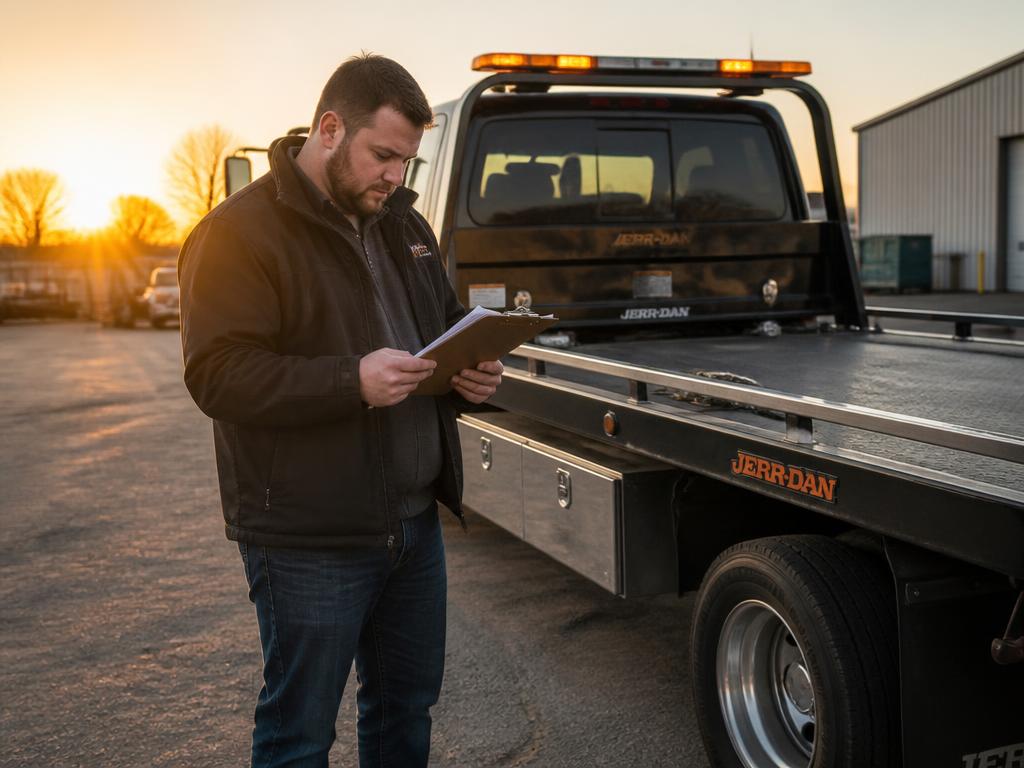
Choose a tow truck camera system by the evidence you need: road incidents, loading activity, rear coverage or parked-truck events. A forward-only dash cam usually cannot document the entire tow. Check real nighttime footage, installation compatibility, retention, export access and audio privacy rules before buying. Cameras supplement—not replace—job photos and safe procedures.
Free: the one-truck business launch checklist
Keep the launch sequence together: business setup, insurance, truck preparation, dispatch and first call sources. The purchase checks above stay available without signing up.
Your requested resource opens here immediately. No card required.
GPS answers where the truck was. Cameras may help show what happened. This guide is about buying video coverage for a working tow truck, not choosing a GPS tracker or dispatch platform. Start with the incident you want to document, then choose the camera layout and storage plan.
Map Coverage Before Comparing Models
| Evidence need | Coverage to test | Common blind spot |
|---|---|---|
| Road incident | Forward view and useful night footage | Plate detail at speed or in glare |
| Loading or unloading | Rear or external view of the actual work area | The vehicle blocks the camera |
| Cab interaction | Cabin view only where appropriate and lawful | Audio and privacy obligations |
| Parked-truck event | Parking mode with suitable power management | Battery drain or recordings overwritten |
Ask for Footage, Not Just Specifications
- Review unedited day and night footage from the actual model and camera positions.
- Check headlight glare, rain, vibration and lighting around your loading area.
- Test whether critical details remain visible when the truck or customer vehicle moves.
- Confirm external-camera weather protection and installation requirements.
- Ask whether all channels record at the advertised quality simultaneously.
- Check how the system signals a failed camera, damaged card or lost recording.
Compare Local and Connected Recording
| Option | Potential benefit | What to verify |
|---|---|---|
| Local memory | No cellular connection needed to record | Card endurance, overwrite cycle and retrieval |
| Connected camera | Remote access or event upload where supported | Data fees, signal gaps and upload limits |
| Multi-camera recorder | Coverage beyond the forward view | Installation, storage per channel and export workflow |
A cloud subscription does not necessarily save every minute of footage. Ask which events upload, how long they remain available, whether full clips can be retrieved and what happens after cancellation. With local storage, multiple channels and higher quality can shorten the overwrite window. Test the actual settings rather than assuming a fixed number of days.
Price the Installed System
- Camera, extra channels, recorder and mounting hardware.
- Qualified installation, cable routing and vehicle-power compatibility.
- Memory cards, replacement schedule and spare equipment.
- Cellular data, subscriptions, user accounts and export charges.
- Time to check recordings and retain incident evidence.
Installation is a safety decision
Follow the camera and vehicle manufacturers' instructions. Do not obstruct the driver's view, interfere with airbags, overload circuits or route cables through moving towing equipment. Have a qualified installer assess power and mounting when required.
Build an Evidence Routine
- Check recording status and date/time at the start of the shift.
- Take separate pre-tow and delivery photos linked to the job record.
- Save relevant incident clips promptly before they can be overwritten.
- Keep the original export and record job, time and who retrieved it.
- Restrict access and use a documented retention and deletion policy.
- Do not post customer footage publicly or assume recording permits disclosure.
Check Privacy and Insurance Claims
Audio recording and employee or customer monitoring rules vary by jurisdiction and circumstances. Confirm the rules for every place you operate, consider disabling audio until reviewed, and establish appropriate notices. A camera does not automatically resolve liability or guarantee an insurance discount. Ask your insurer directly about any conditions.
Choose a System You Will Actually Maintain
A simpler camera checked daily may be more useful than an expensive system nobody can export. Before buying several units, install one, run representative shifts, retrieve sample clips and confirm coverage with the loading equipment in use. The course covers equipment, documentation and operating risk; no camera hardware or subscription is included.
Frequently Asked Questions
Is a forward dash cam enough for a tow truck?
It may help with road incidents, but it often cannot show loading or unloading. Choose additional coverage only after checking the actual truck and work area.
Does a GPS tracker replace a dash cam?
No. GPS location and camera footage answer different questions. Some systems combine them, but verify both capabilities rather than assuming they are included.
Will a dash cam reduce my insurance premium?
Not necessarily. Insurers differ; get any discount and equipment conditions confirmed directly before including savings in your budget.
How long should I keep towing footage?
Set a policy based on legal, contract, insurance and operational requirements. Confirm the recorder's overwrite behavior and preserve incident footage separately.
Related Guides
- Choose GPS tracking for location data
- Build the daily equipment check
- Check coverage separately from cameras
- See the equipment and operations course
Protect the job with a repeatable operating system
Use the course's equipment and operating guidance alongside your documentation routine—not as a substitute for safe work or insurance. Get the complete online course: 28 lessons, 9 modules, saved progress and 13 bonuses. $39 one-time, lifetime access and a 30-day refund guarantee.
Instant download after payment · Lifetime access · Secure checkout by Stripe
Free: the one-truck business launch checklist
Keep the launch sequence together: business setup, insurance, truck preparation, dispatch and first call sources. The purchase checks above stay available without signing up.
Your requested resource opens here immediately. No card required.
Tow Truck Pro Academy
Tow Truck Pro Academy publishes state-specific training and reference material for independent light- and medium-duty tow operators — licensing, insurance, motor club onboarding, PPI contracts, and rate math.